ACRS21: Community Service

Step 1: Log In to The AET
Go to http://www.theaet.com and choose Log In.
Step 2: Choose Journal
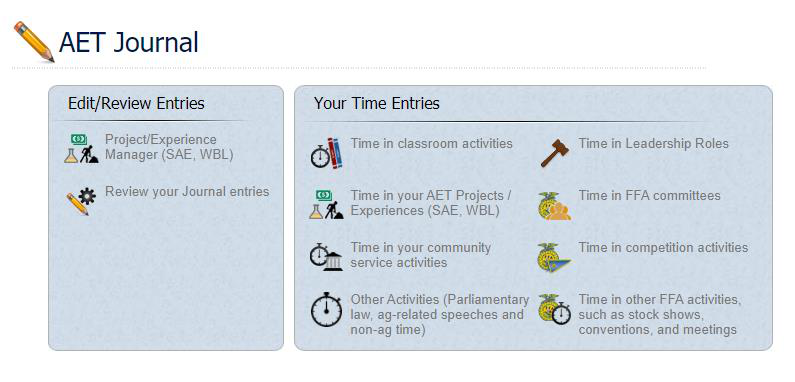
Select Time in your community service activities. Complete the following steps in the Community Service Activity Journal.
a. Describe the Service
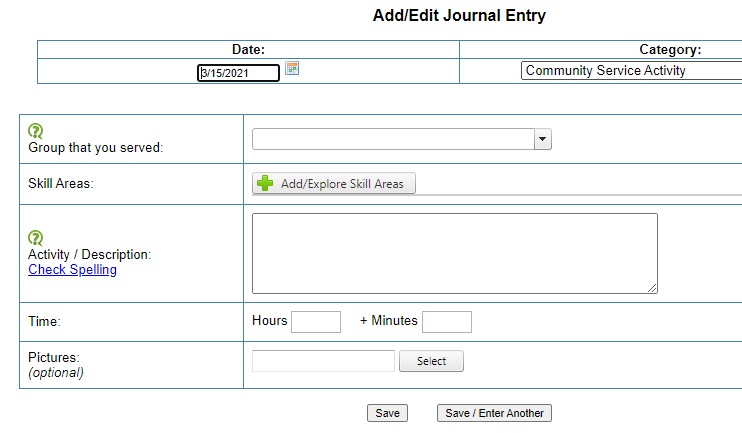
Complete each of the following areas to the best of your ability.
- Group: Name the organization or group you served. Use the dropdown menu or manually enter the group name, for example, Salvation Army.
- Description: Describe the service in detail. What did you do? Who benefited? What service was performed?
- Time: Record how many hours and/or minutes you engaged in the service.
b. Choose a Skill
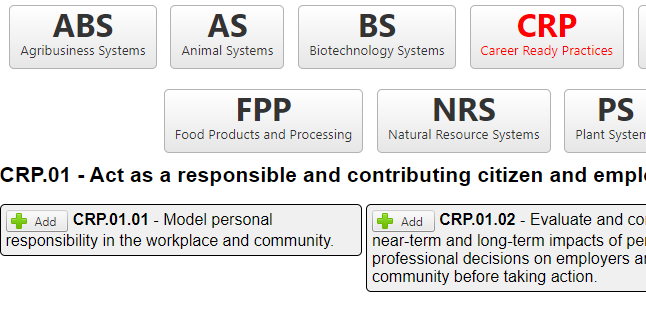
Select a Career Ready Practice that best fits your learning experience. Choose Add/Explore Skill Areas, then open CRP (Career Ready Practices). Review CRP.01 and CRP.06 for useful skills for this area.
Step 3: Save & Submit
The following screenshot shows a completed journal entry. Remember to choose Save or Save / Enter Another at the bottom.
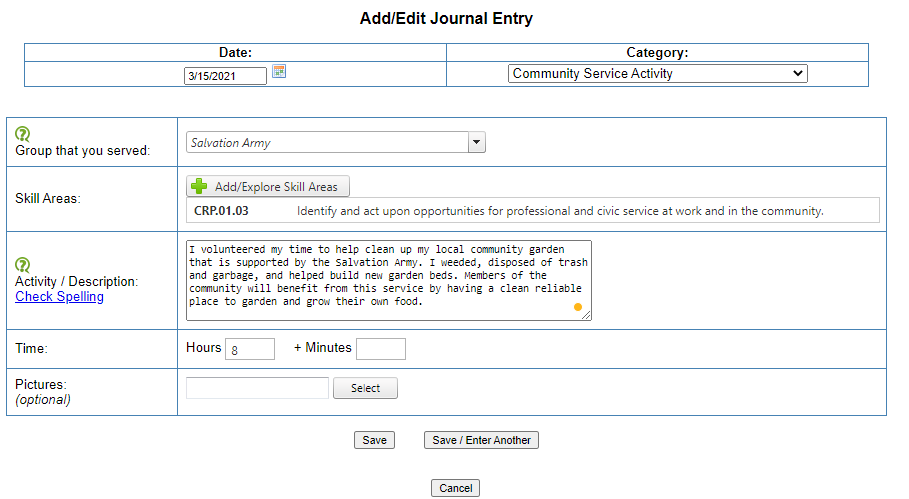
The example records eight hours helping clean up a community garden supported by the Salvation Army. The service included weeding, disposing of trash and garbage, and helping build new garden beds so community members would have a clean, reliable place to garden and grow food.
The example uses CRP.01.03: Identify and act upon opportunities for professional and civic service at work and in the community. Choose the skill that best fits your own learning experience and record your actual service time.

Agricultural Career Readiness Skills for the 21st Century
Certificate Pathway
Questions? acrs21@mail.fresnostate.edu
This HTML version was generated with AI assistance and may contain errors or omissions. The original approved PDF remains the official document of record. An alternative accessible format is available upon request from the document creator in accordance with Title II of the ADA.